Siri AI vs. Gemini on iPhone: Which One Wins?
Siri AI is finally available to beta testers on iPhone. Here's how it stacks up against the Gemini app it was trained on.
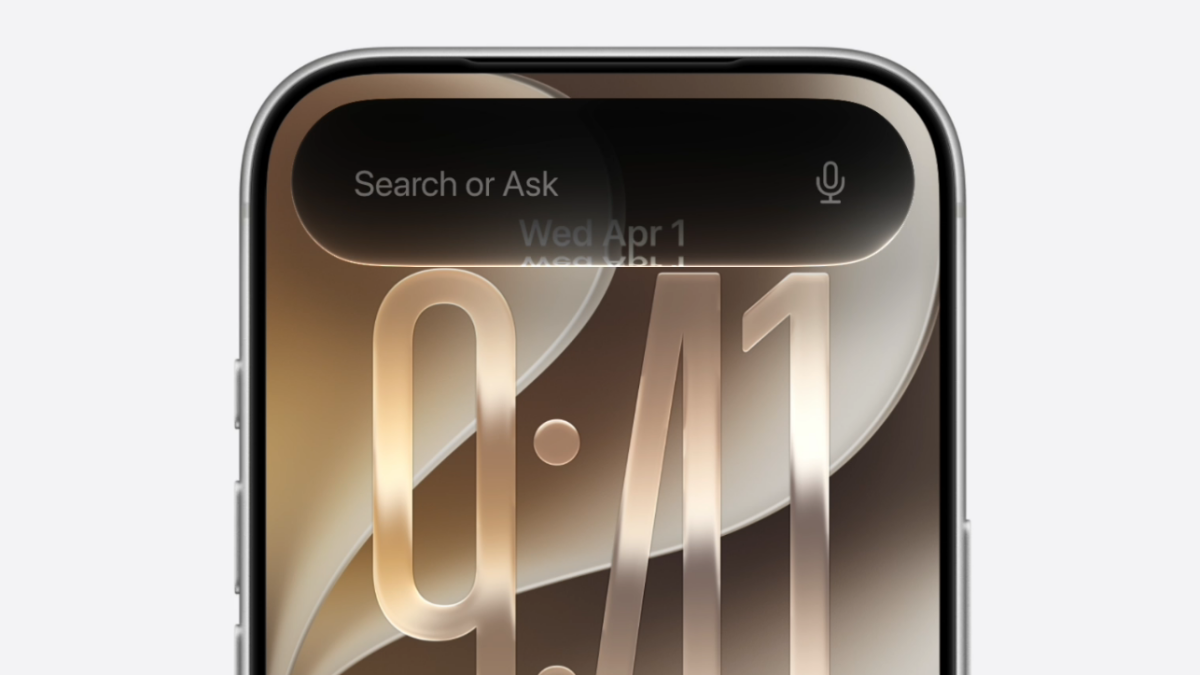

After a two-year tease, Siri AI is officially available to beta testers — once they get off the waitlist. For the last couple of days, I’ve had access to Siri AI on my iPhone 16 Pro, and naturally, the first question I had was, “Why should I use this instead of just the Gemini app?”
That’s because, underneath Apple’s new UI and Private Cloud Compute, the company trained its new Siri AI on Gemini models, and sends some processes to Google servers — though Apple is adamant the same privacy policies apply. I already went hands-on with the new Clean Up tool powered by Gemini and came out surprisingly impressed. In this article, I want to compare Siri AI with Gemini, the AI system it owes much of its existence to. While Apple has managed to cram useful AI features into quite possibly every native app, this comparison is focused on Siri AI and the Gemini app on iPhone. While Apple has pushed Siri to new heights here, Google’s AI, in my view, still has the edge overall.
Siri AI’s Integration Advantage
The first thing to address is how you use Siri AI on your iPhone. It’s directly integrated into Spotlight, and there’s a brand new gesture that breaks almost 20 years of iPhone muscle memory. When you swipe down from the center of the top of the screen (above the Dynamic Island), you’ll activate the new “Search or Ask” field. Here, you can start typing your query and press Enter to search. (Don’t worry: You can still call Siri with the Side button.)
There’s a slick new Siri animation, after which the bubble expands to show you the answer. This can be a simple, short text response, or data from supported apps. This feature is currently limited to Apple’s apps, but after the public release, it will support third-party apps as well. Gemini, of course, doesn’t have all these features, at least not on iOS. The fastest way to access Gemini is through the Home Screen widget, or by assigning a shortcut to the Action button.

Siri AI’s app integration is a real advantage here, even in the early stages. You can ask Siri to bring up all reminders due today, calendar events of the week, or even surface new emails from a sender. In my testing, the first two went quite well. I particularly like how iOS will pull in visual elements from the Reminder and Calendar apps, along with the relevant data. The Mail app performed adequately as well, but when compared to Gemini’s Gmail integration, it fell slightly short. For example, when I asked both apps to pull my recent credit card statements, Siri AI only showed details from one statement, whereas Gemini compiled the due date and amounts for all three of my credit cards.
Siri AI Gets Straight to the Point
In the Gemini app, you can choose between three models: Flash, Flash-Lite, and Pro. The Pro model uses reasoning and therefore takes longer to respond. Siri AI offers no such options. You ask Siri AI something, and all you get is a “working on it” status message — and then relatively quickly, an answer.
While Siri AI is trained on Gemini’s models, Apple has clearly customized the experience to its own design. The effect is that Siri AI is sometimes faster than Gemini, and, in my experience, always more direct when answering both general-knowledge questions and web research queries. Gemini’s responses have always felt a bit too verbose, wasting tokens on preamble before getting to the actual answer. There’s none of that fluff in Siri AI.
The new Siri returns with one-paragraph answers most of the time and, importantly, includes the actual answer up front. You can swipe down from the floating window to expand the answer and open the Siri AI app itself, where Siri usually offers more context and options. Just like Gemini, Siri also cites its sources — and in fact lists all sources at the bottom of the message, while Gemini links to sources inline and sometimes doesn’t provide them at all.
Overall, Siri AI impresses with its tight system integration and cleaner, more direct responses, but Gemini’s broader app support and multi-model flexibility still give it an edge for power users who want more control over how their AI works.